
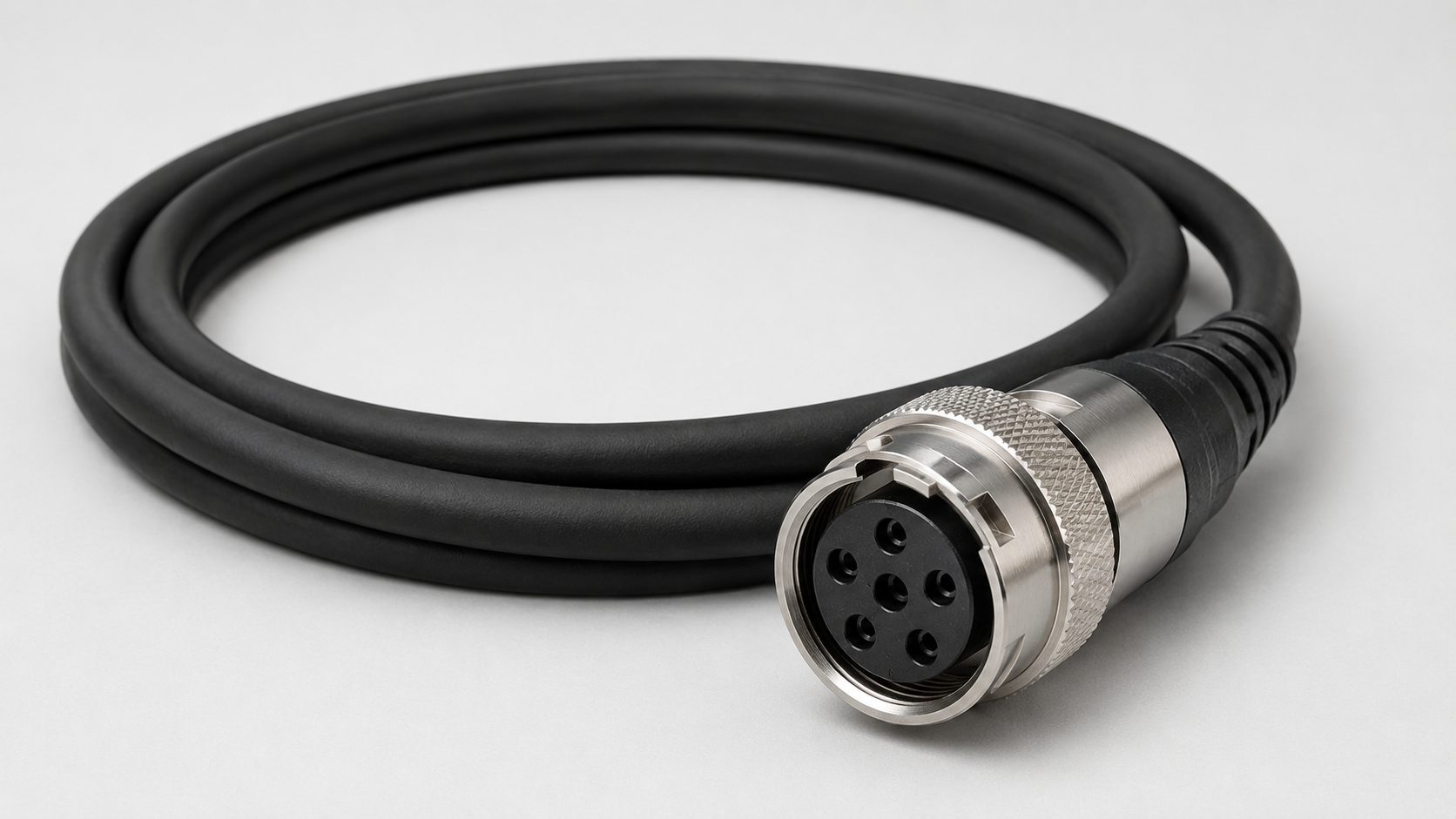
For machine vision systems, the choice between High Flex Cables and standard camera cables depends mainly on one factor: whether the cable moves repeatedly during normal operation.
For drag chains, robots, linear stages, moving inspection heads, and other continuous-motion applications, High Flex Cables are the better choice.
For cameras and cables that remain stationary after installation, a Standard Camera Cable is usually more practical and economical.
The difference is not that High Flex is inherently “better quality.” The two cable types are designed for different mechanical conditions.
A High Flex Cable is built for repeated movement. A standard cable is intended primarily for fixed routing.
The basic rule is simple:
Moving application → High Flex Cable
Fixed installation → Standard Camera Cable
Once that decision is made, the next step is to select the correct cable function, connector, pinout, bend radius, shielding, and length.
High Flex Cables vs Standard Camera Cables: Which Should You Use for Machine Vision?
Choose according to the cable's actual motion during operation.
If the cable repeatedly bends as part of a Drag Chain, Linear Stage, robot, XY system, or other moving mechanism, High Flex should be considered first.
If the camera is fixed and the cable remains secured in a tray, frame, or enclosure, a standard cable is normally sufficient.
The key principle is:
Motion determines whether you need High Flex. Interface and signal requirements determine which High Flex Cable you need.
What Is a High Flex Cable?
A High Flex Cable is designed for repeated movement and bending.
In machine vision, a High Flex machine vision cable is commonly used with:
- Drag Chain systems
- Linear Stage applications
- XY motion systems
- Pick-and-place equipment
- Industrial robots
- Moving inspection cameras
- Automated motion platforms
High Flex should not be confused with a cable that simply feels soft.
A cable may be physically flexible without being designed for thousands or millions of repeated movement cycles.
When evaluating a High Flex Cable, check specifications such as:
- Dynamic Bend Radius
- Repeated-flex capability
- Flex-Life Rating
- Drag-chain suitability
- Motion-related installation requirements
The engineering specification—not how easily the cable bends by hand—should determine whether it is suitable for continuous motion.
What Is a Standard Camera Cable?
A Standard Camera Cable is intended mainly for fixed installations or applications with very little repeated movement.
Typical examples include:
- Cameras mounted permanently on brackets
- Cables secured in cable trays
- Cables that remain stationary during operation
- Systems adjusted only during maintenance
- Installations without a Drag Chain or moving axis
A standard cable is not necessarily lower quality.
It is simply designed for a different mechanical requirement.
If neither the camera nor the cable moves repeatedly during production, continuous-flex performance often provides little practical benefit.
What Are the Key Differences Between High Flex and Standard Camera Cables?
The main difference is mechanical durability under repeated motion.
| Comparison | High Flex Cable | Standard Camera Cable |
|---|---|---|
| Primary application | Continuous motion | Fixed installation |
| Repeated bending | Designed for repeated flexing | Not intended for continuous flexing |
| Drag Chain | Use a model rated for the application | Usually not preferred |
| Linear Stage | Better suited | Usually not recommended for continuous movement |
| Robotics | Suitable when rated for the required motion | Generally intended for fixed routing |
| Flex life | Important selection factor | Usually not a primary specification |
| Dynamic Bend Radius | Critical | Static routing is more important |
| Cost | Usually higher | Usually more economical |
| Best use | Moving applications | Fixed installations |
The important distinction is:
High Flex improves mechanical reliability in moving applications. It does not automatically improve image quality or increase transmission speed.
Which Machine Vision Applications Need High Flex Cables?
High Flex Cables are most useful when a machine vision cable repeatedly moves during production.
Drag Chain Applications
A Drag Chain creates continuous back-and-forth cable movement.
This makes repeated-flex performance important.
However:
High Flex does not automatically mean Drag-Chain Rated.
If the cable will operate inside a drag chain, verify that the specific product is suitable for the required bend radius, travel, and motion conditions.
Linear Stages and XY Systems
Machine vision cameras are often mounted on Linear Stage or XY systems for scanning, positioning, measurement, and inspection.
When the camera moves, the cable moves with it.
A High Flex Cable is generally the more appropriate choice for this type of repeated motion.
Pick-and-Place Equipment
Pick-and-place machines often run at high cycle rates.
If the camera or its cable moves with the mechanism, repeated flexing becomes an important reliability factor.
Industrial Robots
Robot-mounted cables may experience bending, changing orientation, and sometimes torsion.
If significant twisting is involved, do not assume that High Flex alone is enough.
The cable must also be specifically suitable for the required torsional motion.
Moving Inspection Cameras
When a camera travels with an inspection head or positioning mechanism, the camera cable becomes part of the moving system.
In this case, a cable designed only for fixed installation is generally not the best long-term choice.
When Is a Standard Camera Cable the Better Choice?
Use a Standard Camera Cable when the camera and cable remain essentially stationary during normal operation.
Typical examples include:
- Fixed inspection cameras
- Cameras mounted on permanent brackets
- Cables secured in trays or machine frames
- Equipment adjusted only during service
- Systems without repeated axis or robot motion
In these applications, repeated flex life is not a primary requirement.
The selection should instead focus on:
- Connector compatibility
- Cable function
- Pinout
- Shielding
- Electrical requirements
- Cable length
- Environmental conditions
For a genuinely fixed installation, using High Flex purely because it sounds more advanced may simply add unnecessary cost.
Do High Flex Cables Improve Image or Signal Quality?
Not automatically.
High Flex describes mechanical behavior, not image quality or data rate.
Image and signal performance depend on factors such as:
- Transmission standard
- Shielding
- Connector quality
- Cable length
- Grounding
- Installation environment
- Data rate
- I/O electrical requirements
For example, an Ethernet / GigE High Flex Cable does not support a higher Ethernet speed simply because it is High Flex.
Similarly, a High Flex Trigger cable does not automatically produce more precise trigger timing.
The correct interpretation is:
High Flex helps a cable maintain its intended electrical performance while undergoing repeated movement.
What Specifications Should You Check When Choosing a High Flex Cable?
Once High Flex is required, the actual product specifications still matter.
Dynamic Bend Radius
The Dynamic Bend Radius is one of the most important specifications in a moving installation.
A High Flex Cable can still fail prematurely if it is repeatedly bent below the manufacturer's specified minimum radius.
Flex-Life Rating
If a manufacturer provides flex-cycle or repeated-motion data, compare it with the expected duty cycle of the machine.
Different High Flex Cables can be designed for different motion demands.
Do not assume that every product labeled High Flex provides the same flex life.
Drag-Chain Suitability
If the cable will run in a Drag Chain, confirm that the product is specifically suitable for that type of installation.
The High Flex label alone is not enough.
Jacket Construction
The cable jacket may be exposed to:
- Repeated bending
- Abrasion
- Mechanical contact
- Industrial environmental conditions
Select the jacket according to the actual installation environment and product specification.
Strain Relief
Cable-to-connector transitions can experience concentrated mechanical stress.
Appropriate strain relief helps reduce stress near the connector.
Shielding
Machine vision systems often operate near:
- Servo motors
- Variable-frequency drives
- Robots
- Switching power supplies
- High-power cables
Select shielding and routing practices according to the electrical environment.
Cable Length
Choose the shortest practical length that covers the complete routing path and full machine travel.
Excess cable can complicate routing, while insufficient length can create tension at connectors and moving sections.
What Is the Difference Between I/O / Trigger High Flex Cables and Ethernet / GigE High Flex Cables?
This distinction is essential:
High Flex describes the mechanical behavior of the cable, not the signal function.
Two High Flex Cables can be designed for completely different tasks.
I/O / Trigger / Power High Flex Cable
An I/O / Trigger / Power High Flex Cable may carry:
- Trigger Input
- Trigger Output
- GPIO
- Strobe
- PLC or sensor signals
- Camera Power
Depending on the camera interface, examples include:
- 6-pin Female to Open Trigger / I/O / Camera Power High-Flex Cable
- 8-pin Female to Open Trigger / I/O / Camera Power High-Flex Cable
- 12-pin Female to Open Trigger / I/O / Camera Power High-Flex Cable
These cables are used for camera control, triggering, I/O, and power connections.
For I/O applications, always verify the camera connector and pinout before installation.
Ethernet / GigE High Flex Cable
An Ethernet / GigE High Flex Cable is used primarily for network-based image and data transmission.
The actual Ethernet standard and supported data rate should be confirmed from the individual product specification.
Examples include:
- M12 A-Coded 8-Pole Male to RJ45 High-Flex Ethernet Cable
- M12 X-Coded 8-Pole Male to RJ45 High-Flex Cable
- GigE Cat5e RJ45 Straight High-Flex Ethernet Cable
Both types may be used in moving machine vision systems, but they are not interchangeable.
A GigE camera may use both:
Ethernet / GigE High Flex Cable → image and data transmission
and
I/O / Trigger High Flex Cable → Trigger, GPIO, Strobe, or Camera Power
Straight vs Right-Angle High Flex Cable: Which Should You Choose?
High Flex addresses cable motion, while connector orientation addresses installation space.
When Should You Choose a Straight Connector?
Choose a straight connector when there is enough clearance behind the camera and the cable can route naturally without interfering with nearby structures.
When Should You Choose a Right-Angle Connector?
A Right-Angle Connector is usually better when:
- Rear camera clearance is limited
- The camera is close to an enclosure
- The cable needs to route along the side of the camera
- A straight connector would interfere with a bracket or frame
Examples for I/O / Trigger applications include:
For Ethernet / GigE applications, an angled option may include:
GigE Cat5e RJ45 90° Down High-Flex Ethernet Cable
For any right-angle design, verify:
- Connector orientation
- Key position
- Cable exit direction
- Camera mounting position
- Nearby machine structures
A connector can be electrically compatible and still be mechanically unsuitable if the cable exits in the wrong direction.
Are High Flex Cables Worth the Extra Cost?
For continuous-motion applications, usually yes.
A cable that is not designed for repeated movement can increase the risk of intermittent faults, replacement, troubleshooting, and machine downtime.
In that environment, High Flex is not simply an optional upgrade; it is part of the system's mechanical reliability strategy.
For a fixed installation, the answer is different.
If the camera and cable remain stationary, a Standard Camera Cable is usually sufficient, and paying extra solely for High Flex performance may provide little practical benefit.
How to Choose Between a High Flex and Standard Camera Cable Step by Step
Use this sequence:
Step 1: Determine Whether the Cable Moves
If the cable remains fixed during normal operation, consider a Standard Camera Cable.
If it repeatedly moves, consider High Flex.
Step 2: Identify the Motion Type
Determine whether the cable operates in a continuous-motion system such as a Drag Chain, robot, Linear Stage, XY platform, or moving camera assembly.
Then verify that the cable is rated for that specific motion.
Step 3: Determine the Cable Function
Identify whether you need:
I/O / Trigger / Power
or
Ethernet / GigE data transmission
High Flex does not make these cable types interchangeable.
Step 4: Confirm the Connector
Typical interfaces may include:
- 6-pin
- 8-pin
- 12-pin
- RJ45
- M12
Step 5: Verify the Pinout or Data Interface
For an I/O / Trigger cable, compare the Camera Pinout with the Cable Pinout.
For an Ethernet cable, confirm the required Ethernet interface and transmission standard.
Step 6: Select Connector Orientation
Choose straight or right-angle according to installation clearance and cable exit direction.
Step 7: Check Motion and Installation Specifications
Confirm:
- Dynamic Bend Radius
- Flex-Life Rating
- Drag-chain suitability
- Shielding
- Cable length
- Installation environment
The decision can be summarized in one sentence:
Motion determines whether you need High Flex. Interface and signal requirements determine which High Flex Cable you need.
Conclusion: Are High Flex Cables Better Than Standard Camera Cables?
For machine vision cables that move repeatedly during operation, High Flex Cables are the better choice.
For fixed cameras and stationary cable routing, a Standard Camera Cable is usually more appropriate.
High Flex should be selected for its mechanical reliability under repeated motion—not because it automatically provides better image quality, faster data transmission, or higher signal performance.
The correct process is simple: first determine whether the cable moves, then select the required cable function, connector, pinout, orientation, bend radius, shielding, and length.